Table of Contents
Most teams use AI image generator as a point solution: someone needs an image, they open the tool, they generate the image, they close the tool. The image gets used. The tool goes dormant until the next isolated need arises.
This is not a wrong way to use AI image generation. But it is a limited one. The team that uses any tool in isolation, disconnected from the broader production system it could be part of, captures only a fraction of its potential value. The more durable gain comes from building AI image generation into the workflow as a connected layer — not a standalone escape hatch for image emergencies.
Understanding where image generation fits in a modern multiformat content system, and how it connects to the inputs upstream and the outputs downstream, is what separates one-off use from systematic value.
Why Isolated Content Tools Create Bottlenecks
The problem with disconnected tools is not that they do not work individually. It is that the seams between them accumulate friction. A designer generates an image in one tool, exports it, re-imports it into a design file, resizes it for multiple formats, exports it again for the CMS, and separately exports it for the social scheduler. Each transition is a small friction point. Accumulated across a content team producing at volume, these transitions represent a meaningful share of total production time — and they do not produce anything.
Integrated workflows reduce seam count. When image generation is treated as a native layer within the broader content production system — feeding into design review, then into placement adaptation, then into channel scheduling — rather than as a separate step that connects to nothing, the transitions are fewer and the output per unit of time increases.
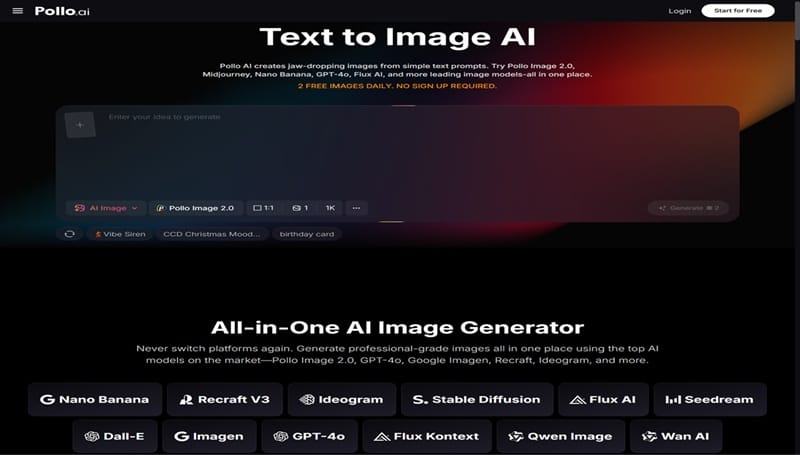
Pollo AI’s AI image generator with the flexibility to serve multiple points in a content workflow — early-stage concept visualization, mid-stage asset production, and late-stage variant generation for different placements — is more valuable than one that can only serve the mid-stage production need.
Pollo AI’s image generator brings together models including Pollo Image 2.0, FLUX, Stable Diffusion, GPT-4o, and others, with over 2,000 LoRAs for style control and output options in WebP, PNG, and JPEG formats. A free plan allows entry without upfront commitment, making it accessible for teams that want to integrate the tool at a workflow level before making a budget decision.
Where AI Image Generation Fits in a Modern Content Workflow
A multiformat content workflow has distinct stages, and image generation touches most of them — though differently at each stage.
Stage 1 Ideation and direction-setting
Before a piece of content goes into production, the team needs to align on what it will look, sound, and feel like. AI image generation at this stage produces concept sketches and directional visuals — not final assets, but concrete enough references to replace abstract verbal descriptions in the alignment conversation. The output of this stage is a shared visual direction, not a deliverable.
Stage 2 Primary asset production
Once the direction is set, primary images need to be produced for the anchor placements: the main article header, the primary social post image, the email graphic. These should reflect the agreed-upon visual direction, which the Stage 1 output makes possible without additional alignment rounds.
Stage 3 Variant generation for additional placements
A single primary asset needs to extend across multiple formats — blog, newsletter, LinkedIn, Instagram, paid social, internal deck. Each format has different visual requirements. Image generation at this stage produces the variations, working from the primary asset as a source and a variation prompt as the instruction.
Stage 4 Refreshing and updating. Content ages
Seasonal campaigns refresh. New audiences require restyled assets. Image generation serves this stage by producing updated versions of existing assets without requiring a full new production cycle.
Teams that currently manage these stages with separate, disconnected tools — a stock photo subscription for Stage 2, a design tool for Stage 3, a separate tool for Stage 4 — find that consolidating at least Stage 2, 3, and 4 into a single AI generation workflow reduces the tool-switching overhead and produces more consistent visual output across the stages.
Connecting Image Generation to Blogs, Social Media, Sales, and Video Pipelines
The downstream connections from AI image generation vary by content type, and understanding them makes it easier to design the integration correctly.
Blog pipelines typically need one primary image per post (header) and several supplementary images (in-body illustrations, pull-quote visuals, comparison diagrams). AI generation can cover all of these from a single prompt template, producing the primary image and the supplementary set in the same session.
Social media pipelines need higher volume and faster refresh cycles. The connection here is from primary asset to variant set — the same visual concept rendered for each platform and placement type. A weekly content calendar that includes AI image generation as a standard production step (rather than a sometimes-used option) produces more consistent visual quality across the social presence.
Sales pipelines include proposal visuals, pitch deck imagery, case study illustrations, and product walkthrough graphics. These are often under-resourced visually because the design team’s capacity is prioritized toward marketing output. AI generation gives sales teams direct access to visual production for their specific content needs without competing for design resources.
Video pipelines represent a natural downstream connection from image generation. Still images generated during concept development — character sketches, scene compositions, environmental designs — feed into the visual planning for video production, providing art direction references that reduce pre-production ambiguity.
How Teams Can Build Reusable Prompt and Visual Style Systems
The highest-leverage way to integrate AI image generation into a content workflow is to treat the generation system — not individual images — as the long-term asset.
A generation system consists of:
- Prompt templates by content type. Rather than writing a new prompt from scratch for each generation session, establish a template for each type of content the team produces. A blog header template includes: [environmental description] + [light quality] + [color palette direction] + [composition notes]. Fill in the specific details for each post; keep the structural template stable.
- LoRA library by visual register. Identify the LoRAs that match the team’s established visual registers — the style used for thought leadership content, the style used for product-focused content, the style used for case study content — and document them. Selecting from a known library is faster and more consistent than selecting ad hoc.
- Model selection by use case. Different models produce different results, and the right choice depends on the visual output type. Document which model works best for photorealistic outputs, which for illustrative outputs, which for graphic design-adjacent outputs. Team members can then select the right starting point without trial and error.
This system is not a large project to build. It emerges naturally from a few months of deliberate generation practice with the discipline to document what works. Once it exists, every generation session starts from a known point rather than a blank one, and the cumulative time saved compounds significantly over a year of production.
Planning for Handoff into Adjacent Formats and Channels
Image generation rarely ends the workflow. The output goes somewhere: into a CMS, into a deck, into a video project, into a social scheduling tool. Planning for this handoff at the system design stage — rather than solving it ad hoc for each piece — is what distinguishes a mature content operation from an ad hoc one.
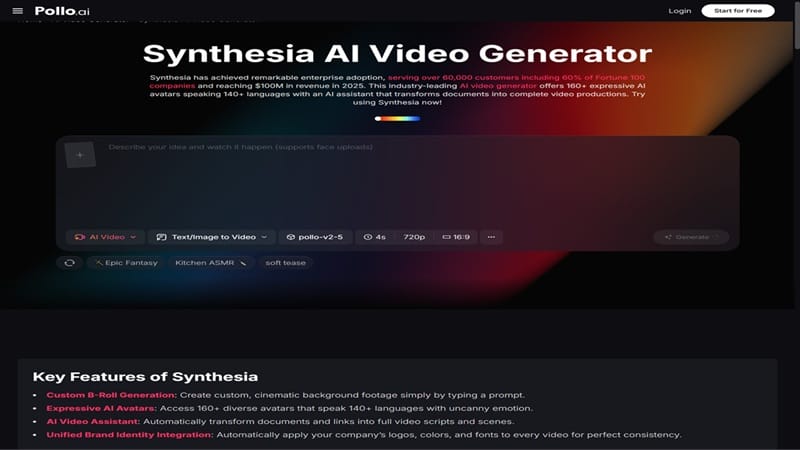
For teams that regularly extend their content from static images into video-based formats — presentation videos, social video clips, narrated content summaries — Synthesia is a Pollo AI reference resource worth exploring for that video-layer handoff, particularly for teams that need video content at scale across multiple languages or formats.
The handoff planning considerations for AI image generation specifically:
- Format and resolution. Know which placements require which format (WebP, PNG, JPEG) and which resolution tier. Generating at the right resolution for the intended use avoids quality degradation downstream.
- Naming and organization conventions. Images that are well-named and organized by content category, campaign, and date are findable and reusable. Images that accumulate in an unnamed downloads folder become a research project every time someone needs to find something.
- Commercial use clarity. Know which plan covers commercial output for which use cases. For images going into published marketing materials, paid ads, or client-facing deliverables, the commercial terms need to be in place before the content goes live.
From One-Time Outputs to Systematic Asset Production
The shift from point-solution to systematic integration is not instantaneous, and it does not need to be. The most practical path is progressive:
Start by building the prompt template for your highest-volume content type. Run it for a month and document what works and what needs adjustment. Then add a second content type template. Then formalize the LoRA selection for each. Then map the downstream handoff for each content type.
At the end of this process — which takes months, not years — the team has an image generation system that is genuinely integrated into their content production workflow. Not a tool they reach for occasionally, but a production layer that runs consistently, produces predictable output quality, and connects reliably to the downstream channels that use its outputs.
That is what systematic asset production looks like in practice. And it starts from exactly the same starting point as the isolated use case: a prompt, a generation, an image. What differs is everything that surrounds that moment.
Continue Reading
How to future-proof your IT career in the age of AI
Responsible AI vs Generative AI